
Triveni -
Warehouse Attendance
& Security System
Role
UI/UX Designer
Timeline
2-3 Weeks
Tools
Figma · FigJam
Platform
iOS & Android
App Screens - Three Roles · One System
Three Clearly Defined User Roles
Admin
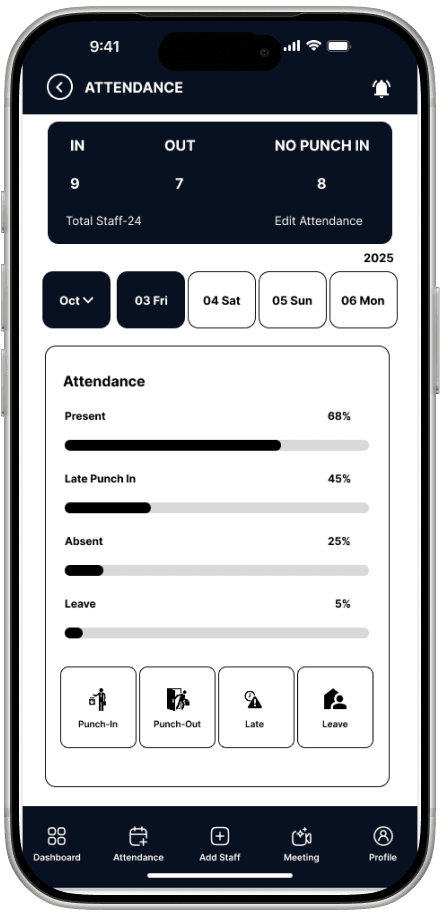
Central control panel - view attendance logs, approve leaves, review vehicle entries, and generate payroll-ready reports.
Worker
Speed-first punch-in/out with live selfie and GPS verification. Attendance history and leave application built-in.
Security Guard
Log vehicle entries/exits and meter readings via camera. Offline-ready, instant admin sync on reconnect.
Overview
Triveni is a mobile application built for seamless, trustworthy warehouse management. It focuses on clarity, ease of use, and a professional visual language across three distinct user roles - delivering reliable attendance tracking and security documentation in a single, cohesive system.
Problem Statement
Warehouse teams struggled with manual attendance registers, proxy punches, and zero operational visibility for management. Existing solutions were too complex for field workers and provided no audit trail for security. Triveni needed a simple, trustworthy mobile system - built around visual proof.
Onboarding & Auth Flow
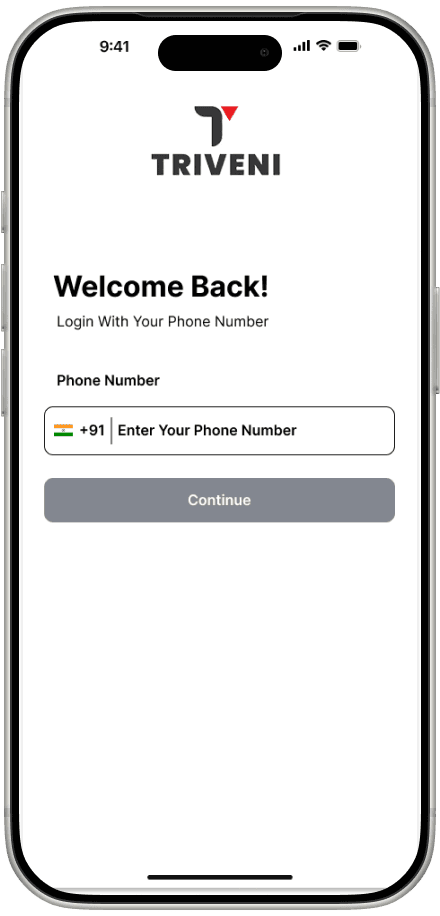
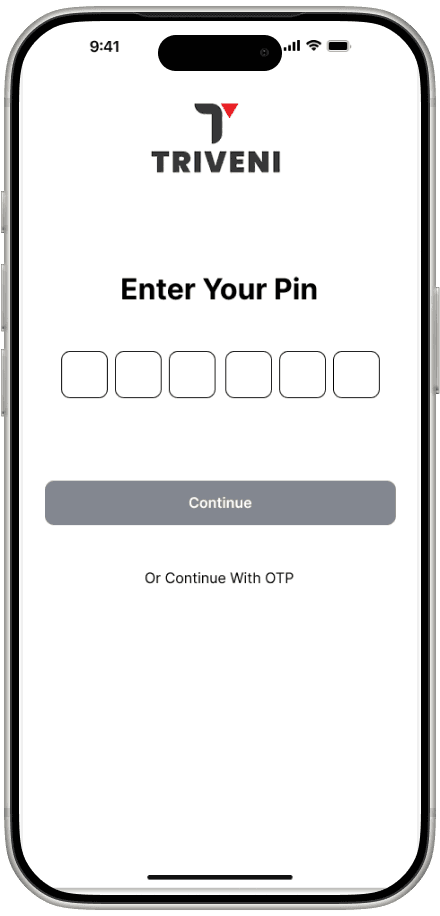
The onboarding sequence is intentionally minimal - splash, sign-in with credentials, and PIN setup. Workers reach the home screen in under 30 seconds. No email flows, no unnecessary steps.
Worker Flow - Punch In / Out
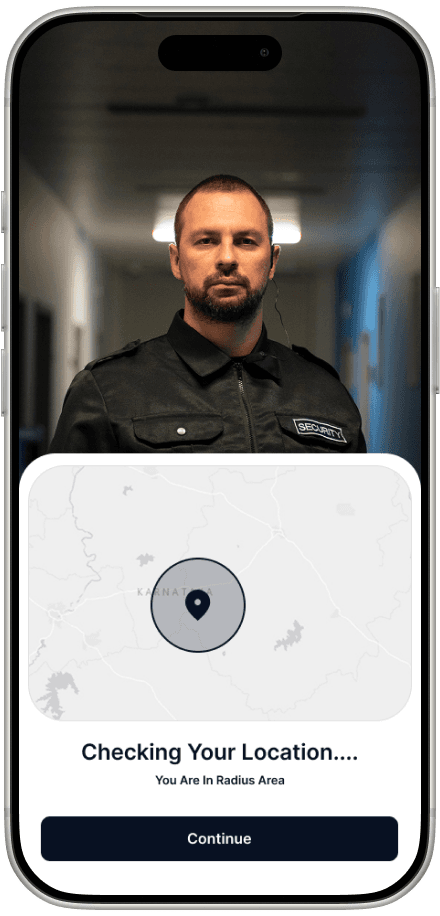
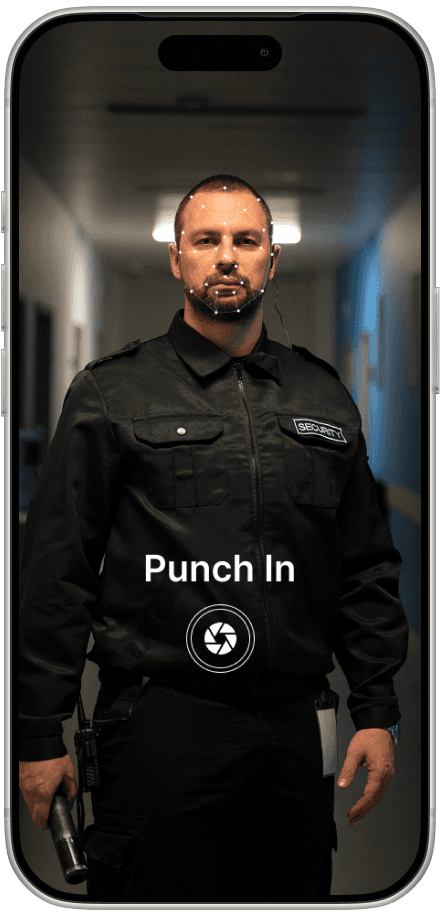
The worker punch-in/out experience is intentionally minimal. A camera-first flow with large action buttons and clear success or error feedback eliminates confusion during busy working hours.
GPS location verified before punch is allowed
Live selfie captured - no gallery uploads accepted
Timestamp confirmed instantly on success
Full attendance history accessible from home
.png&w=3840&q=75)
Home Screen - Dashboard States
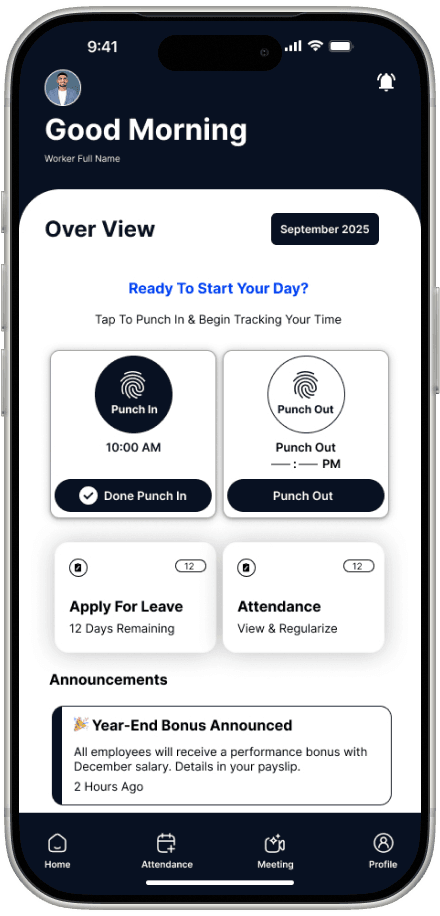
The home screen adapts based on attendance state - before punch-in, after punch-in, and end-of-day states all have distinct visual feedback. Workers always know exactly where they stand without reading instructions.
.png&w=3840&q=75)
.png&w=3840&q=75)
.png&w=3840&q=75)
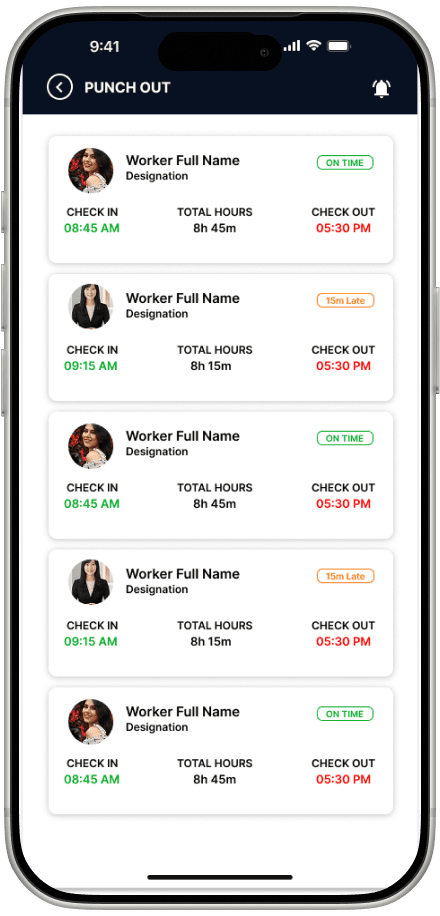
Punch Out Experience
The punch-out screen mirrors the punch-in flow exactly - consistent mental model, zero relearning. Workers repeat the selfie and GPS step at end of shift, which completes their daily attendance record instantly.
Both punch events are synced to the admin dashboard in real time, complete with timestamp, GPS coordinates, and the captured selfie image.
Goals
Create a clean, intuitive experience for all three user roles
Eliminate proxy attendance via GPS & live selfie verification
Build trust through clear content structure and visual consistency
Design a scalable role-based system for future warehouse features
Design Process
Research & Discovery
Stakeholder interviews with warehouse managers and workers - mapped proxy attendance pain points, manual register failures, and delayed reporting workflows.
Information Architecture
Role-based IA separates worker, guard, and admin flows. Each role gets focused task-based navigation with no unnecessary complexity or feature overlap.
UX Design & Wireframes
Low-fidelity wireframes validated with stakeholders before visual work began. Camera-first flows for workers and guards, data-table views for admins. Reduced late-stage iterations significantly.
Visual Design
Clean professional visual language - neutral palette, high-contrast typography, generous spacing, rounded components, and extra-large tap targets built for field conditions.
Role-Based Information Architecture
Each user role only sees what's relevant to their daily job. This reduced onboarding time significantly and eliminated navigation errors in a busy warehouse environment where every second counts.
Camera-First Design Pattern
Making the camera the primary interaction for both workers and guards removed manual input entirely, reducing errors and creating a visual audit trail that admins can trust for payroll and compliance.
Outcome & Impact
Proxy Attendance
Live selfie + GPS makes ghost punches impossible
Operational Visibility
Admins get real-time oversight of all workers and guards
Punch-in Time
Workers complete the full flow in under 30 seconds
Key Learnings
Simplicity in operational apps is non-negotiable
Field workers have no patience for cognitive overhead. Every extra tap is a failure point.
Visual proof builds institutional trust
Selfies and meter images replaced paperwork and disputes - a concrete, measurable design outcome.
Early wireframe validation reduces iteration
Stakeholder sign-off on low-fidelity flows before visual design prevented costly late-stage rework.
Role-separation reduces cognitive load
Giving each user role a focused app view made onboarding effortless and errors rare.
Conclusion
“The Triveni mobile app demonstrates a system-level UX approach to solving real-world warehouse challenges. By combining authenticated attendance, role-based access, and camera-driven security logging, the app delivers a scalable and trustworthy solution that aligns user needs with business goals.”